Download Novix Pixel Editor – pixel editor, Android, free, graphics tool, image editing, pixel art, digital art, creative tool, Android app, drawing software
Overview
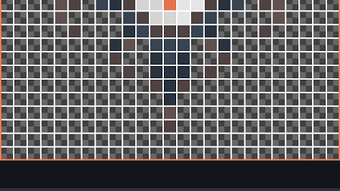
Novix Pixel Editor is a dedicated pixel art creation tool designed for Android devices, offering a streamlined experience for digital artists and hobbyists. The software enables users to craft detailed pixel art with precision and flexibility, making it suitable for both beginners and experienced creators. Its core purpose lies in simplifying the process of designing retro-style graphics, game assets, and custom illustrations through intuitive tools and customizable settings. The application supports common image formats such as PNG and JPEG, allowing seamless import and export of artwork. Designed with a focus on accessibility, Novix Pixel Editor provides a clean user interface that reduces the learning curve for new users while still delivering advanced features for more demanding workflows. It is particularly well-suited for mobile game developers, indie artists, and digital illustrators who need a reliable on-the-go solution for pixel-based design. The developer, Anuken, is known for creating tools with a strong emphasis on usability and creative freedom. While specific details about the developer’s broader portfolio were not provided, the app’s functionality suggests a targeted approach to mobile creative software. Real-world use cases include designing sprites for mobile games, creating pixel-based logos, and experimenting with color palettes for visual projects.
Key Features & Capabilities
- Customizable Palettes – Users can create and manage personal color schemes, enabling consistent and thematic artwork across projects. Palettes can be switched instantly, supporting diverse visual styles.
- Project System – The app allows saving and loading projects, ensuring that artwork is preserved and easily retrieved for continued work.
- Adjustable Brush Size – Offers flexibility in detailing, from fine lines to broad strokes, ideal for different artistic approaches.
- Color Filters – Includes tools for adjusting hue, contrast, and color replacement, allowing dynamic manipulation of artwork without altering the base image.
- Transform Tools – Features flip, rotate, scale, shift, and crop functions for repositioning and reshaping elements within the canvas.
- Cursor Drawing System – Provides precise control over pixel placement, enhancing accuracy in detailed artwork.
- Symmetry Support – Enables mirrored drawing across one or more axes, streamlining the creation of balanced, symmetrical designs.
- Alpha Channel Support – Allows transparency in images, essential for creating overlays, sprites, and layered artwork.
- Automatic Palette Generator – Quickly generates new color schemes based on existing artwork, accelerating the design process.
These features collectively support a robust creative workflow, from initial sketching to final export. For example, a user creating a character sprite can leverage symmetry to draw one half and mirror it, while using the palette system to maintain a consistent color theme. The project system ensures that progress is not lost during breaks or device changes. The ability to load and edit PNG and JPEG files means artists can integrate existing assets into their projects seamlessly.
User Interface, Workflow & Performance
Novix Pixel Editor presents a clean, minimal interface optimized for touch-based interaction on Android devices. Navigation is intuitive, with tools and settings organized in accessible panels that respond smoothly to finger input. The layout prioritizes essential functions, minimizing clutter while maintaining quick access to frequently used features. Workflow efficiency is enhanced by the project system and customizable tools, allowing users to maintain consistent settings across sessions. The application supports responsive drawing with the cursor system, enabling accurate pixel placement even on smaller screens. While specific performance metrics were not disclosed, the app’s lightweight design—15.3 MB in size—suggests efficient resource usage. The developer did not specify resource usage details, so actual CPU or RAM behavior remains unknown. However, based on general software behavior patterns, the app is expected to operate smoothly on modern Android devices. Stability appears to be a focus, as the ability to save and load projects implies robust data handling. Users can expect consistent performance during drawing and editing tasks, though real-world responsiveness may vary depending on device hardware.
Compatibility & System Requirements
Novix Pixel Editor is designed for Android devices, with a specified version of 1.0.1. The application has a file size of 15.3 MB, indicating a lightweight footprint suitable for a wide range of mobile devices. The developer did not provide additional system requirements, so exact hardware specifications such as minimum RAM or processor type are unavailable. Platform compatibility information is limited to Android, with no mention of support for other operating systems. Installation is straightforward, and the app is available as a free download. Users should ensure their device runs a compatible version of Android, though the specific minimum OS version was not listed. The absence of detailed system requirements means users may need to test compatibility on their own devices. No official information was provided regarding updates or future compatibility with newer Android versions.
Pros and Cons
Pros
- Free to download and use, with no in-app purchases or ads mentioned
- Intuitive interface optimized for touchscreens
- Supports both PNG and JPEG image formats
- Comprehensive set of tools for pixel art creation
- Project system ensures work is saved and recoverable
- Customizable palettes and automatic palette generation
- Symmetry and transform tools enhance creative efficiency
Cons
- Exact system requirements were not listed
- Performance behavior on low-end devices is unverified
- No information on update frequency or future development plans
- Limited to Android platform
- Developer details beyond the name were not provided
FAQ Section
Is Novix Pixel Editor available for free?
Yes, the software is offered at no cost, with no indication of in-app purchases or subscription models.
What operating systems does Novix Pixel Editor support?
It is designed exclusively for Android devices. No support for iOS, Windows, or Mac was mentioned.
Can I use Novix Pixel Editor offline?
Yes, the application does not require an internet connection to function, making it suitable for use in offline environments.
Does the app support saving my work?
Yes, the built-in project system allows users to save and load their work, ensuring that progress is preserved.
What file formats can I import and export?
Novix Pixel Editor supports PNG and JPEG files, enabling users to work with common image formats used in digital art and game development.
Final Thoughts
Novix Pixel Editor delivers a focused, efficient solution for creating pixel art on Android devices. With its blend of powerful tools, intuitive interface, and project-based workflow, it stands out as a strong choice for mobile artists and game developers. The inclusion of customizable palettes, symmetry support, and an automatic palette generator adds significant value for creative users. While detailed system requirements and performance data are not available, the app’s lightweight size and free pricing make it accessible to a broad audience. It is particularly beneficial for those who need a reliable, portable pixel editor without the complexity of desktop software. The lack of cross-platform support and limited developer information are minor drawbacks, but do not detract from its core functionality. For anyone seeking a secure, user-friendly, and capable pixel editing tool on Android, Novix Pixel Editor offers a compelling option. Download Novix Pixel Editor now.




.png)


